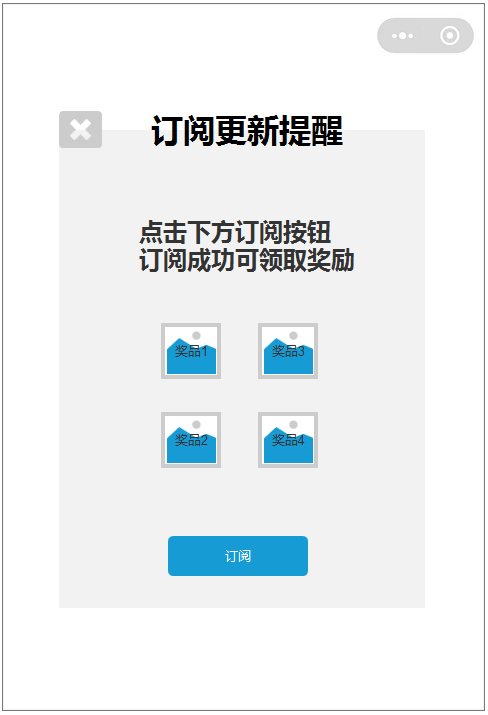
需研发自行接入,只能用户点击屏幕触发
订阅功能微信官方参考链接:
https://developers.weixin.qq.com/minigame/dev/guide/open-ability/subscribe-message.html
示例代码:
/***订阅 */
	public void subscribeMessageClick()
    {
        sMonoBehaviour = this;
        LjSdkLog.Log("WX.OnTouchEnd begin");
        try
        {
            WX.OnTouchEnd(result);
        }
        catch (SystemException e1)
        {
            Debug.LogError(e1);
        }
        LjSdkLog.Log("WX.OnTouchEnd end");
    }

    static Action result = (res) => {
        beginSubMessage();
    };


    private static void beginSubMessage()
    {
        LjSdkLog.Log("RequestSubscribeMessage begin");
        WX.RequestSubscribeMessage(new RequestSubscribeMessageOption()
        {
            tmplIds = new string[] { "RbvgD_BL3xPKXrJJs0VDf_j46JoHhglN2P0JxLShI5U" },
            success = (res) => {
                try
                {
                    WX.OffTouchEnd(result);//要移除之前添加的监听
                }
                catch (SystemException e1)
                {
                    Debug.LogError(e1);
                }
                LjSdkLog.Log("json=" + res.errMsg);
                LjSdkLog.Log("json=" + res.ToString());
                WX.ShowToast(new ShowToastOption()
                {
                    title = "RequestSubscribeMessage success msg:" + res.errMsg,
                });
                beginSendBindingUserId();//订阅成功绑定用户
            },
            fail = (res) => {
                LjSdkLog.Log("RequestSubscribeMessage fail:" + res.errMsg);
                WX.ShowToast(new ShowToastOption()
                {
                    title = "RequestSubscribeMessage fail msg:" + res.errMsg,
                });
            }
        });
        LjSdkLog.Log("RequestSubscribeMessage end");
    }
前提
订阅消息发送前需用户已订阅相关的模板消息id,需要给用户发消息的时候调用
请求地址:'https://payh5crown.chiji-h5.com/index.php/index/applet/subscription_send'
数据
| 参数 | 类型 | 描述 |
| open_id | string | 用户微信openid |
| game_id | string | (运营提供后台gname) |
| template_id | string | 已订阅的模板id |
返回值:code:0正常,其他不正常
示例代码如下:
    private static void beginSendBindingUserId()
    {
        if (sMonoBehaviour != null)
        {
            JsonData dataChild = new JsonData();
            dataChild["game_id"] = LjWxSdk.LJSDK_GNAME;
            dataChild["template_id"] = "RbvgD_BL3xPKXrJJs0VDf_j46JoHhglN2P0JxLShI5U";
            string openid = LjWxSdk.getOpenid();
            // string openid="oJB4r5Nqm4w3sgqvdG1aIETvq8cE";

            dataChild["open_id"] = openid;
            WxRequestUtil util = new WxRequestUtil();
            util.beginRequestJson(sMonoBehaviour, LjWxSdk.sTagSubscriptionSend, dataChild, new CommonApiNotify());
        }
    }
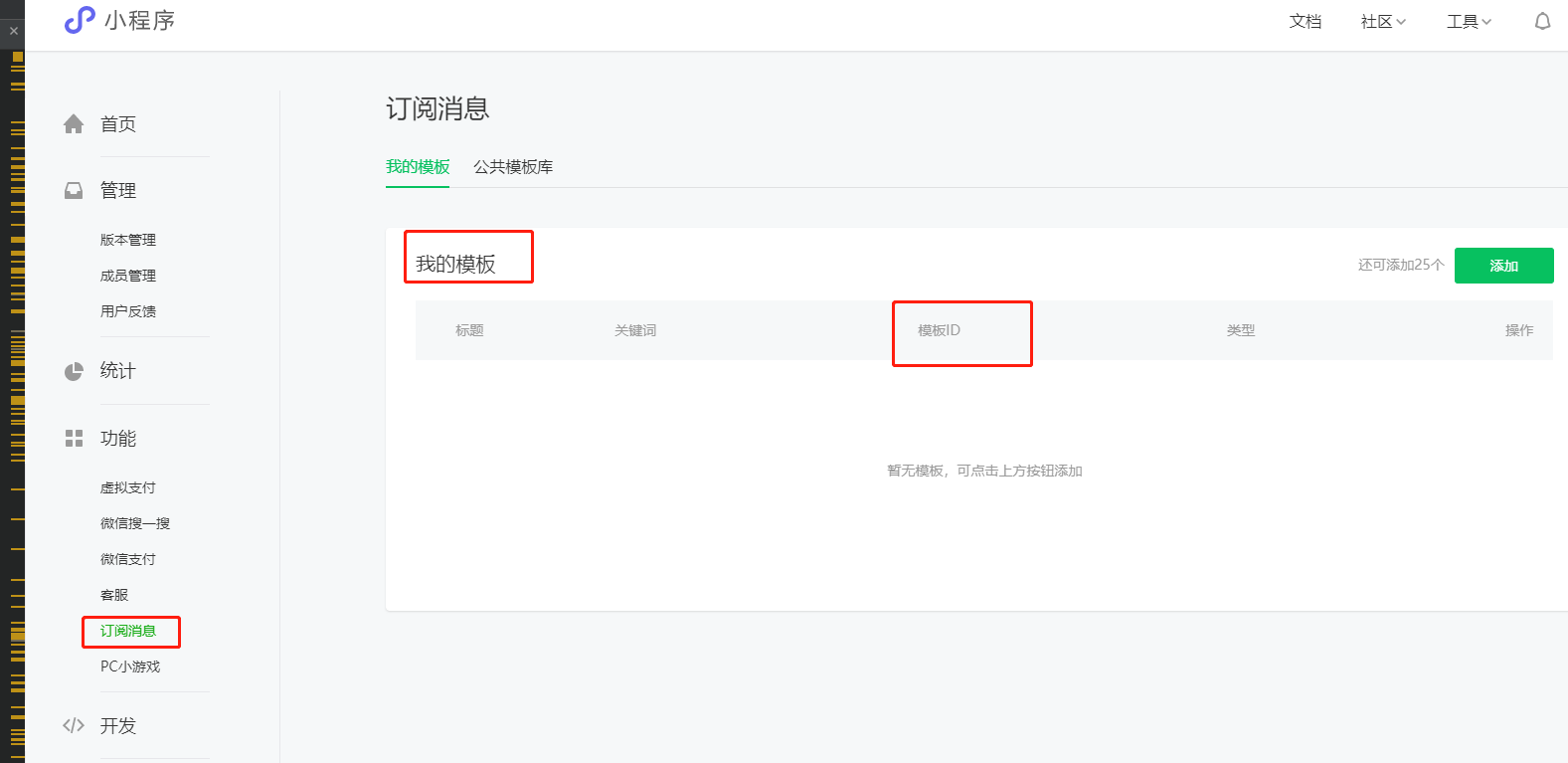
订阅模板id查找如下:
步骤如下:
引导图示例如下:具体美术效果图需研发方自行设计